Manage content once
Use content from your Staymate guest app in print too, without recreating it in a separate design tool.
STAYMATE PDF & PRINT
Create branded morning newsletters, weekly programmes, menus and guest information from the content you already manage in Staymate.
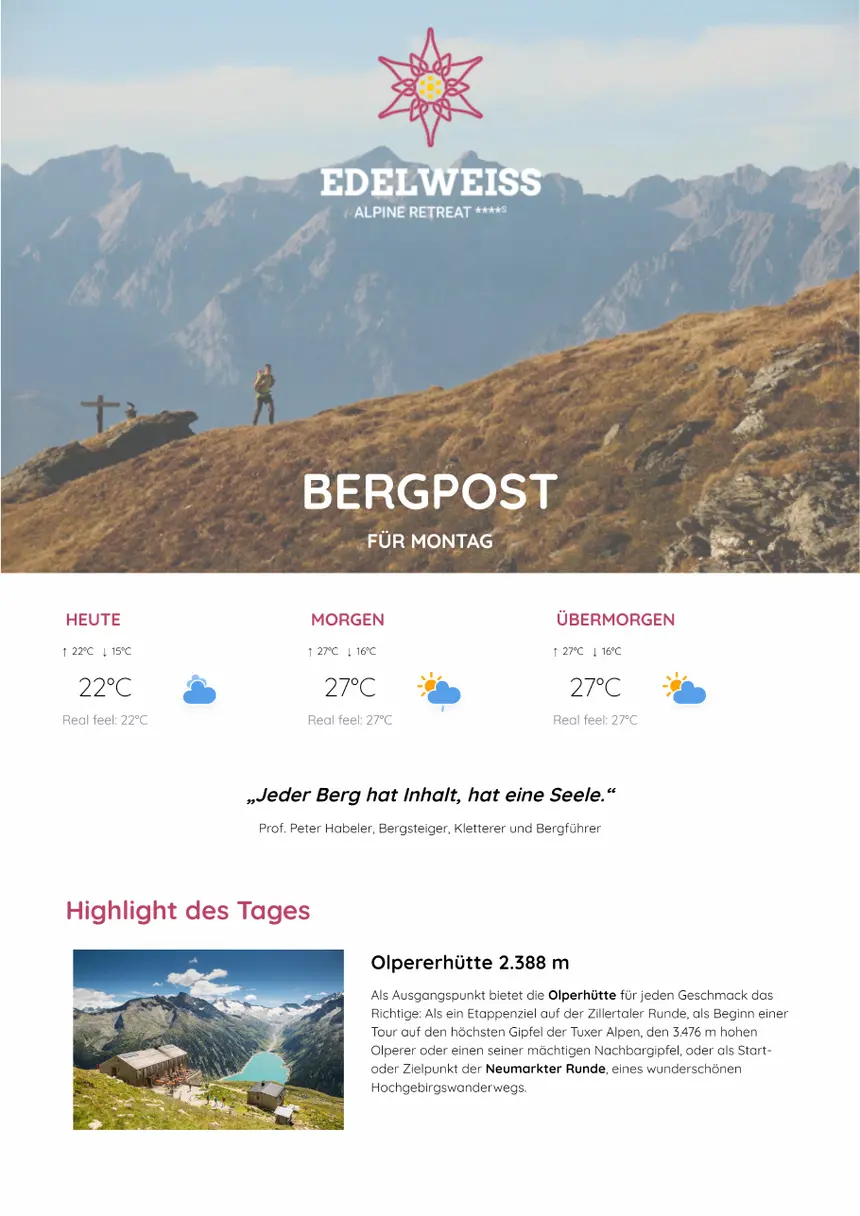
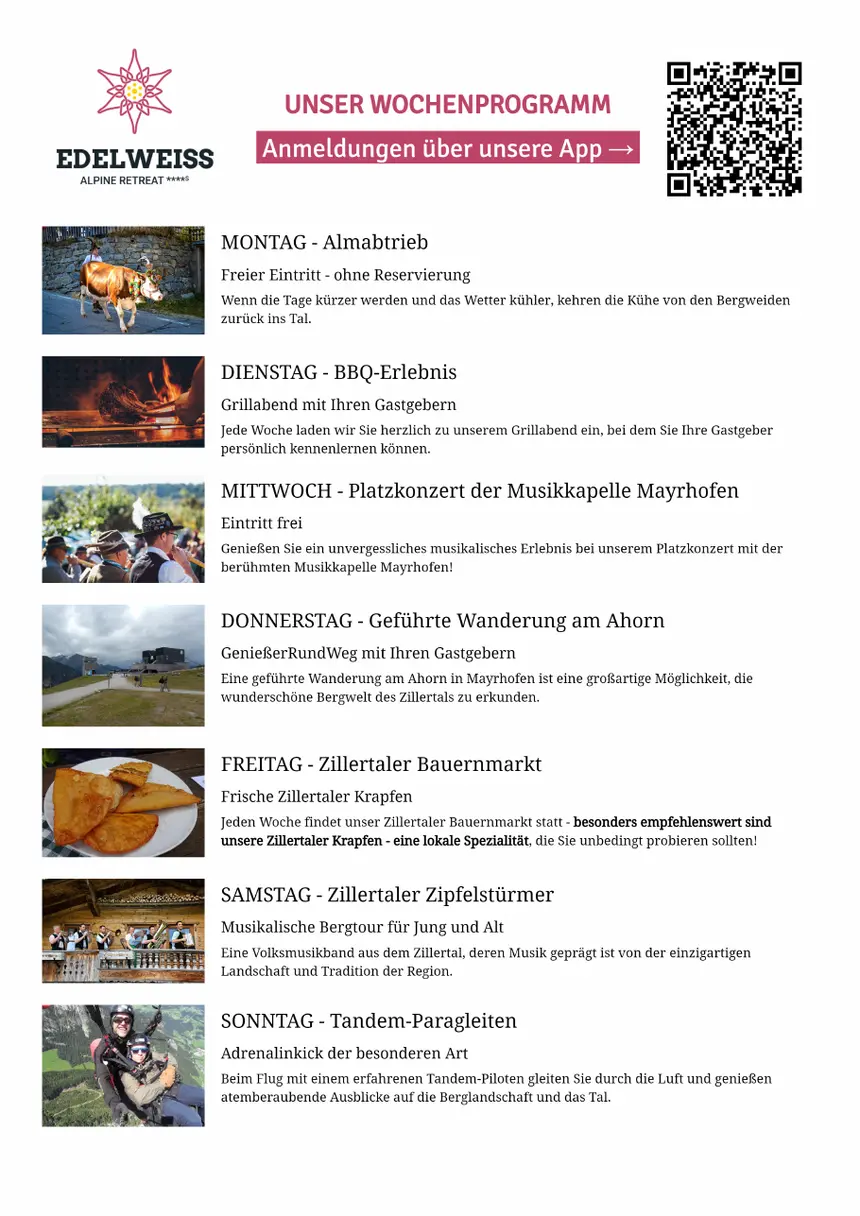
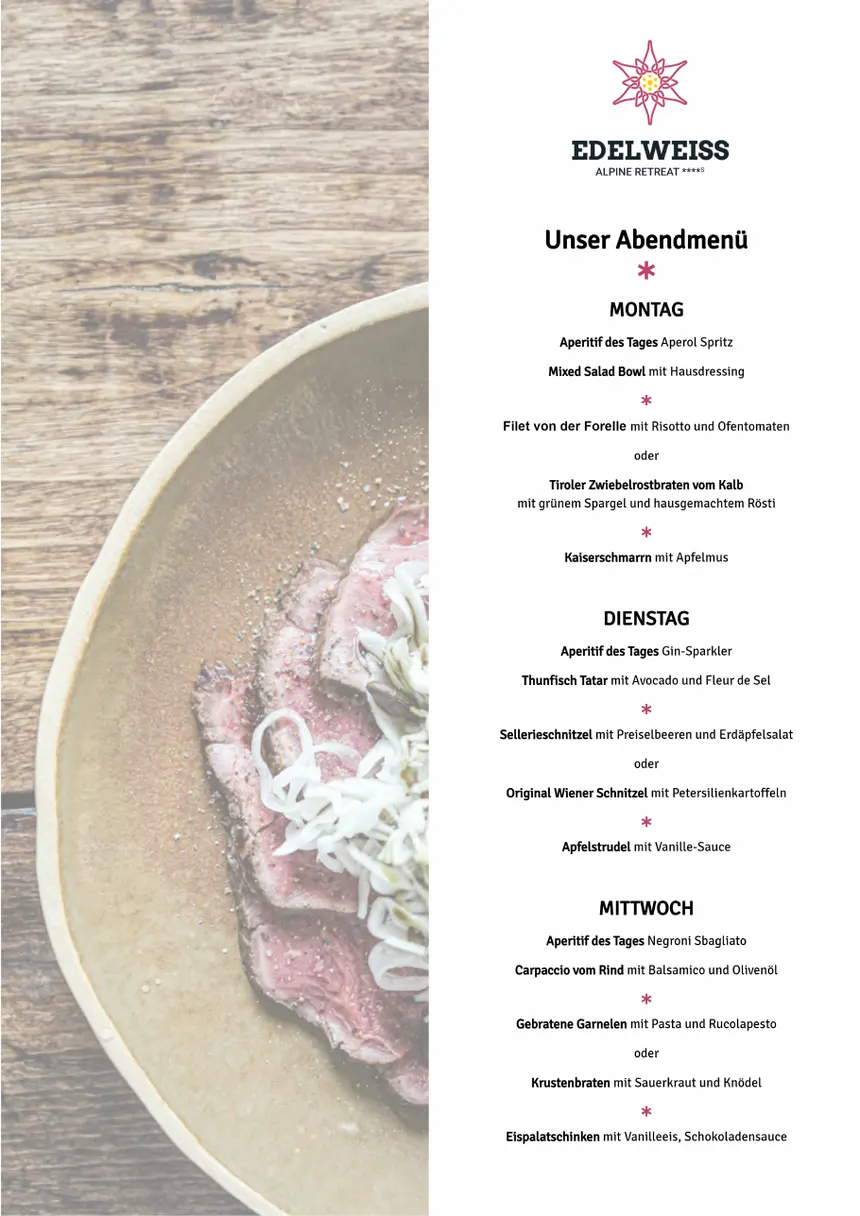
Use content from your Staymate guest app in print too, without recreating it in a separate design tool.
Update the date, weather, menu or recommendations while keeping the prepared layout.
Work with your property's fonts, colours, formats and design elements.
Made for everyday hotel operations
Design once, reuse existing Staymate content and respond quickly when the day takes a different turn.
REUSE CONTENT
Use existing pages and content blocks with images, text and prices. Daily menus, activities, offers and weather can be updated for the next edition.
DESIGN FREEDOM
Position and resize content blocks freely, use your own fonts and colours, and create standard or custom formats.
LANGUAGES
Use automatic translation to prepare additional language versions of your document for international guests.
FOLDED FORMATS
Edit pages in their natural order. Staymate arranges them for folded, double-sided printing.
QR CODES
Use QR codes to take guests from the printed page directly to relevant content in your Staymate guest app.
PDF EXPORT
Export the finished edition as a PDF for printing or make it available digitally through your app and website.
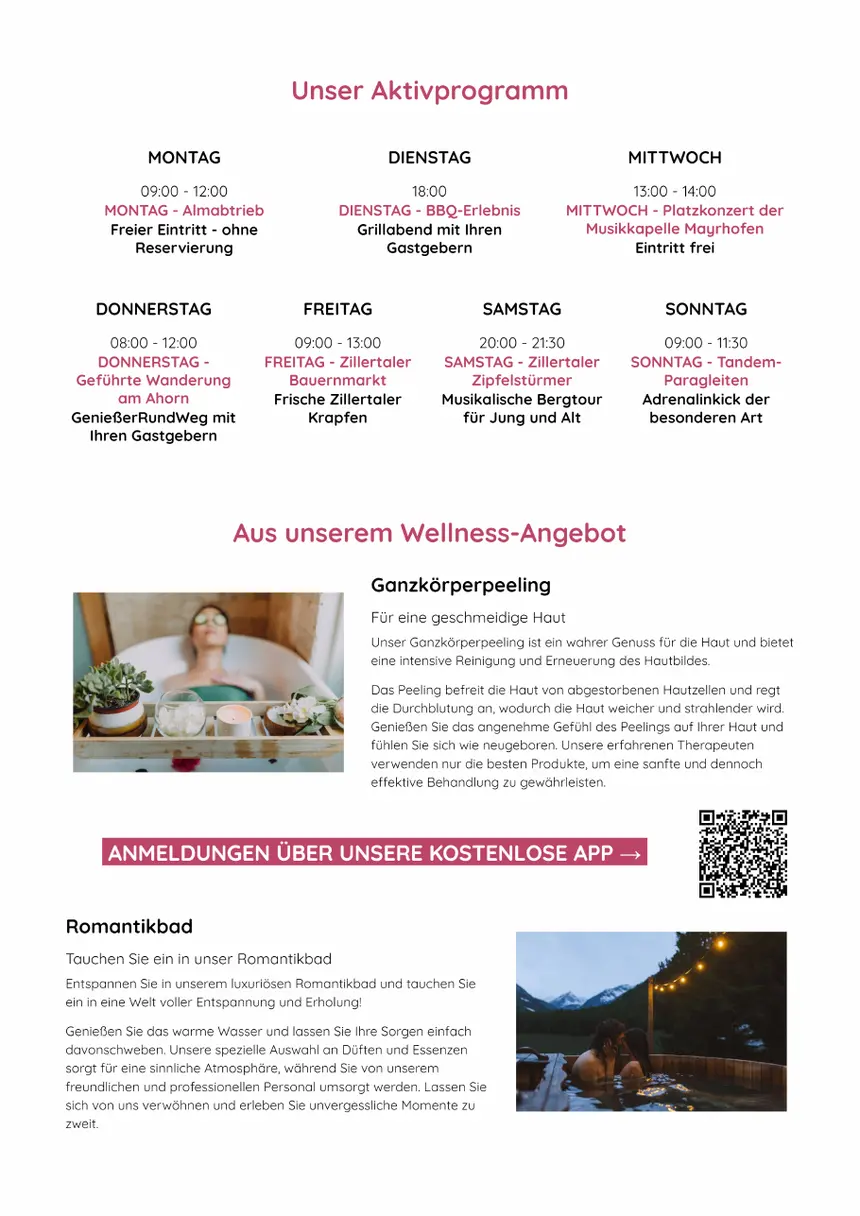
A practical workflow
Choose the approach that suits your team: open a prepared edition, start with a reusable template or duplicate yesterday's document.
Open a prepared edition, a reusable template or a copy of yesterday's document.
Add the date, weather, menu, activities and selected recommendations for the new edition.
Swap content blocks, adjust the layout and create the language versions you need.
Create the PDF for printing or make it available digitally in your app or on your website.
Real document examples
These examples show the different ways the same tools can be used, from a daily greeting to a menu covering several days.
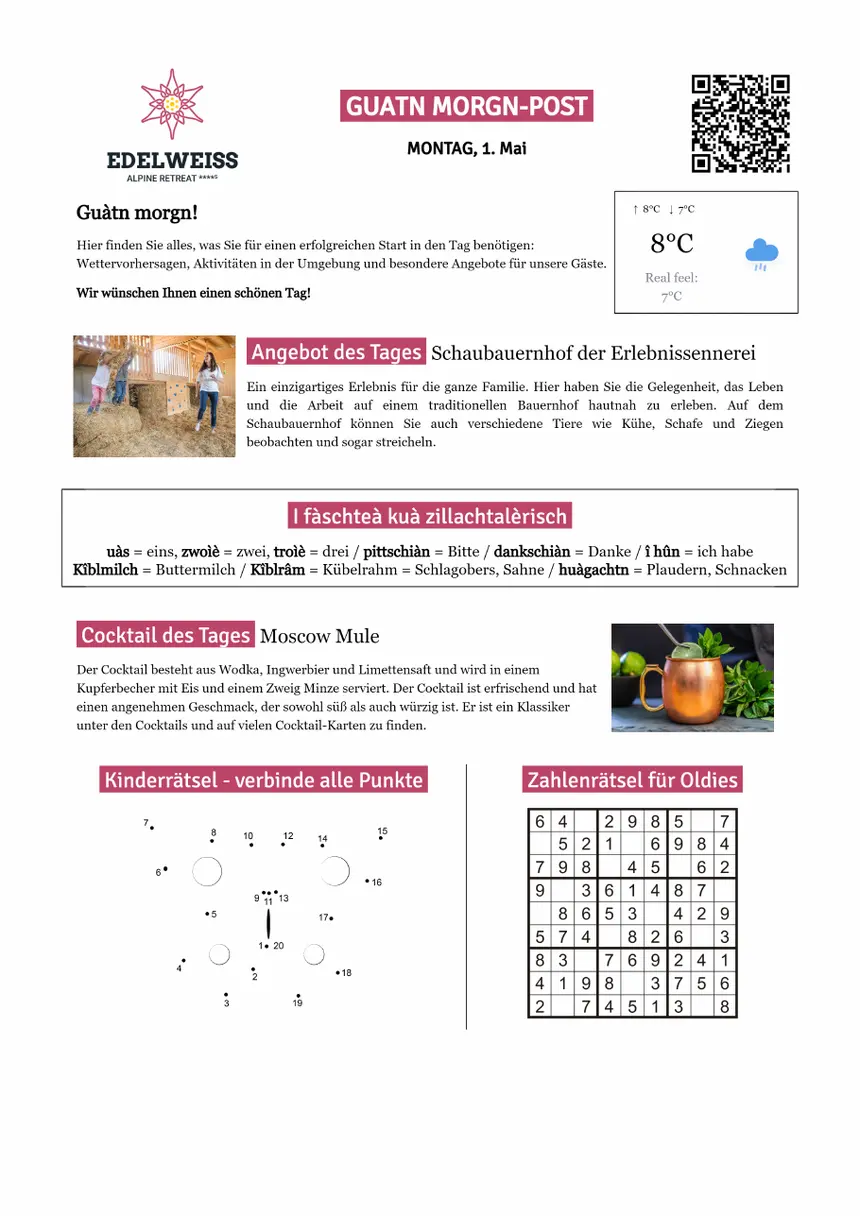
DAILY GUEST INFORMATION
Combine a welcome, weather, daily offer, local recommendation and entertaining guest content in a branded document.
ACTIVITIES AT A GLANCE
Present individual events clearly and take guests from the printed programme directly to the Staymate guest app.
DINING
Use current menu information from Staymate in a high-quality print layout and prepare formats covering one or more days.
Made for every format
Use the same content at printed and digital touchpoints, keeping every document true to your brand.
01 / PRINT
Export a finished file for morning newsletters, menus, weekly programmes and other printed materials.
02 / GUEST APP
Connect the document via QR code to further information or bookable content in your guest app.
03 / WEBSITE
Publish exported editions on your website too.
04 / LETTERHEAD
Hide page backgrounds when printing on paper that already carries your branding.
Good to know
The module is suitable for morning newsletters, daily information, weekly programmes, menus and guest information, among other uses. Layout, format and content are prepared to suit your property.
Yes. You can add existing content blocks with images, text and prices to your documents and combine them with free text or other design elements.
Yes. Fonts, colours, formats and page structure can be adapted to your property's corporate design. A prepared layout can then be reused for new editions.
You can create additional language versions using Staymate's automatic translation. Before exporting, you can review each version and adjust it as needed.
You edit pages in reading order. For double-sided printing, Staymate arranges the pages so they appear in the correct order after folding.
Export your edition as a PDF. You can print this file, make it available on your website or use it in your digital guest communication.
Manage content once. Present it beautifully.
Discover how PDF & Print brings together morning newsletters, weekly programmes, dinner menus and guest information.